
Specifications
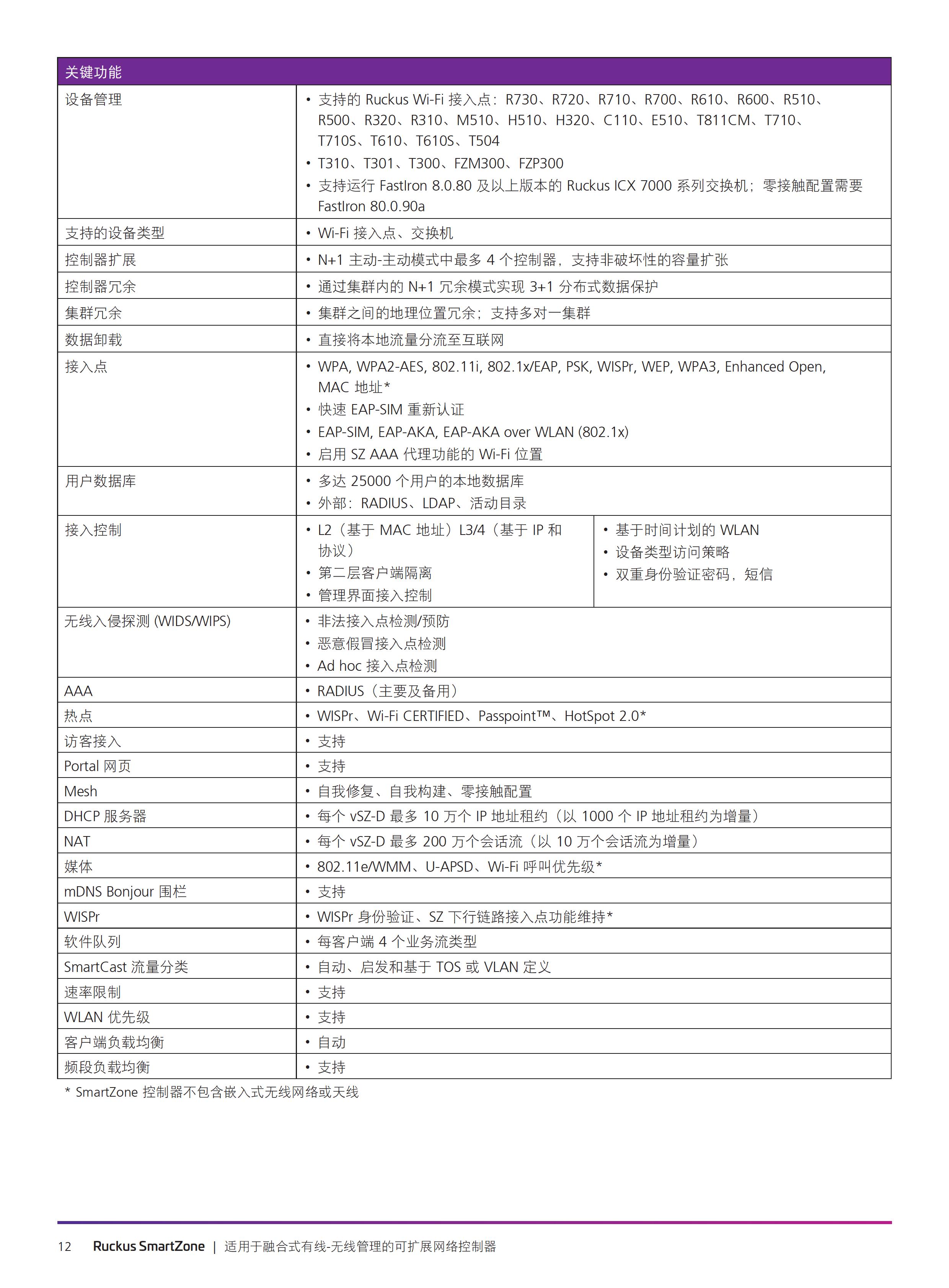
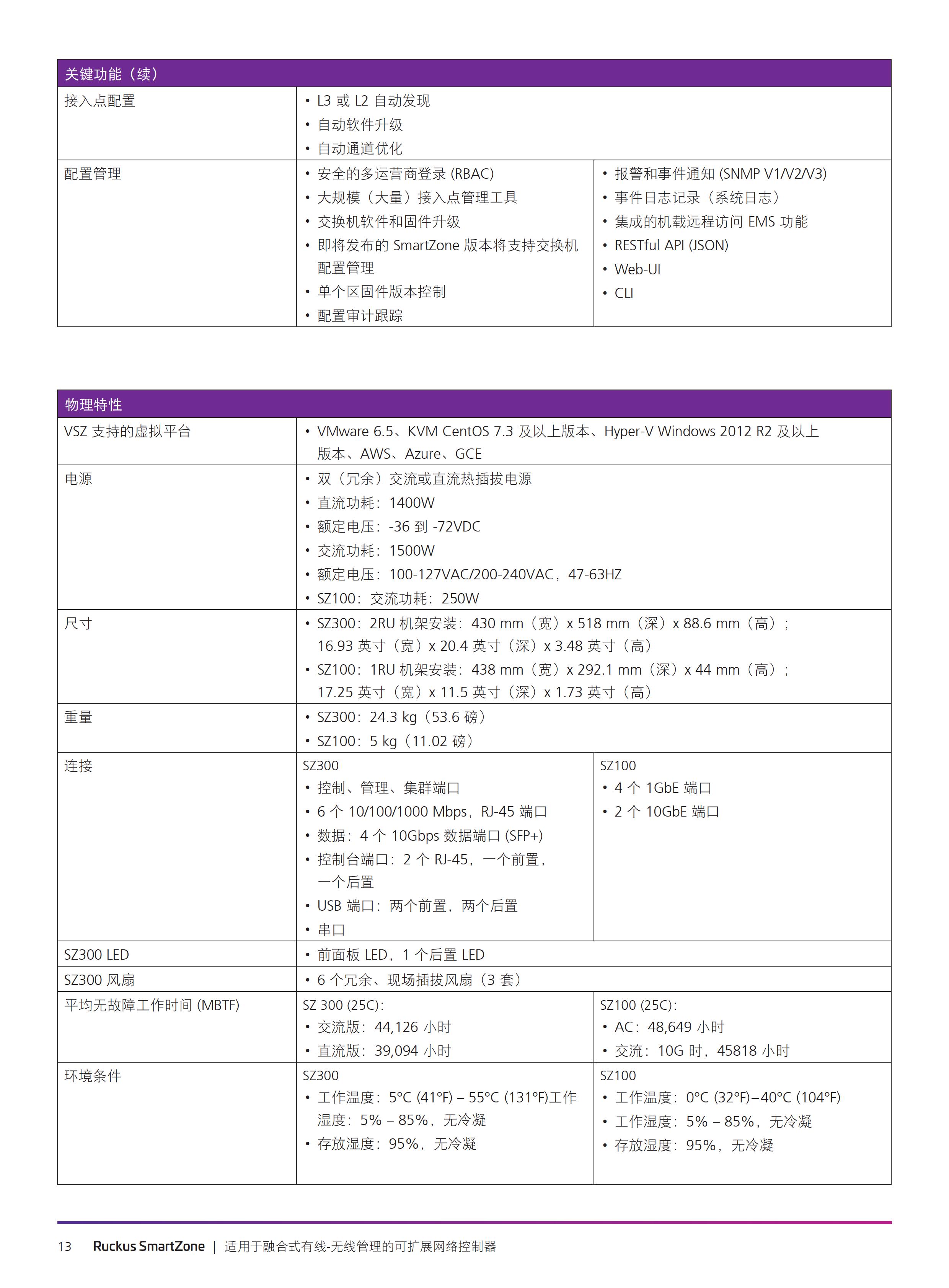
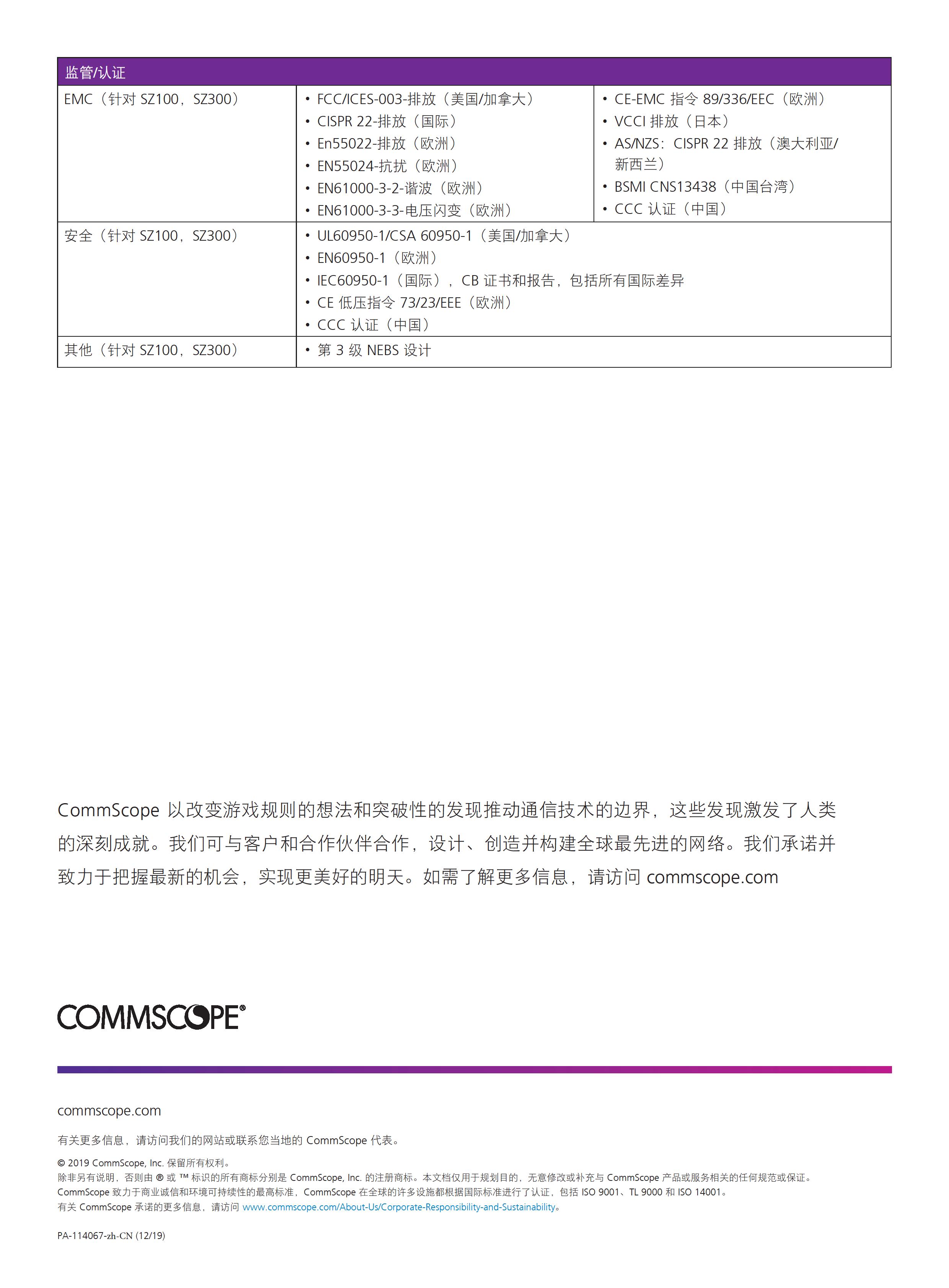
Confirm model, interface type, rate, power, airflow and software version before ordering.
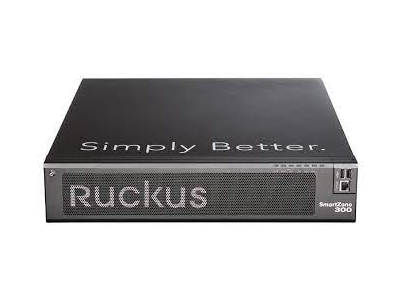
RUCKUS SmartZone 300 is filed under RUCKUS wireless control products on this site. Start with the installed AP inventory, site structure, software versions, identity and logging, resiliency objectives and migration windows rather than the device name.
The retained summary uses the SZ300 abbreviation. Plan SmartZone 300 from the actual AP inventory, site scale, management-resiliency needs and upgrade windows.
RUCKUS SmartZone 300 context: Do not assume so. Check the full AP model, regional variant and target release in the support matrix, then validate them in a pilot.
RUCKUS SmartZone 300 context: Not necessarily. Object mapping, licenses, identity interfaces and upgrade order can affect migration. contact the team with the AP inventory and current versions.
RUCKUS SmartZone 300 context: This page does not promise license quantities, current support status, lifecycle, price or delivery. Use current model documents and test results.
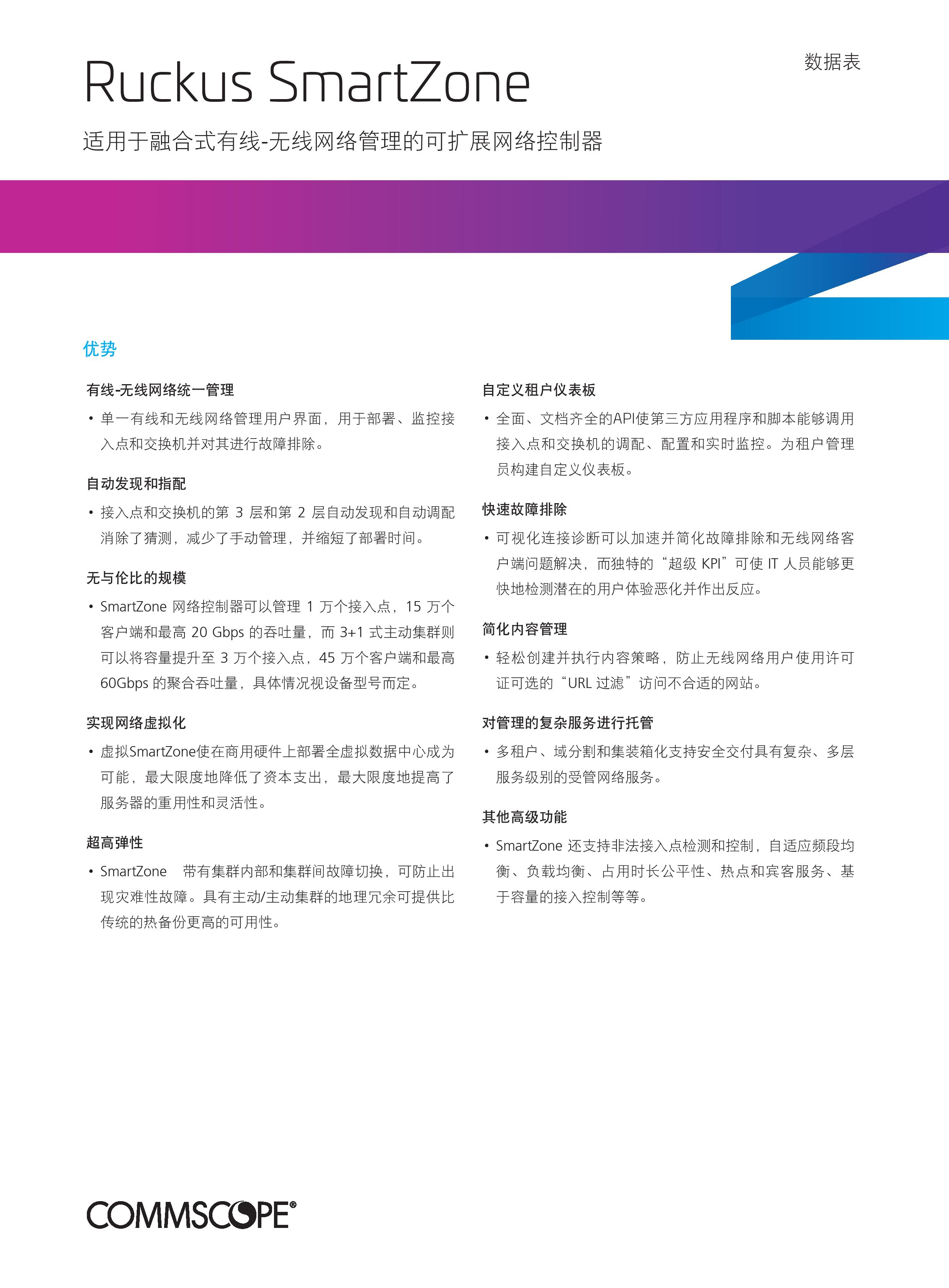
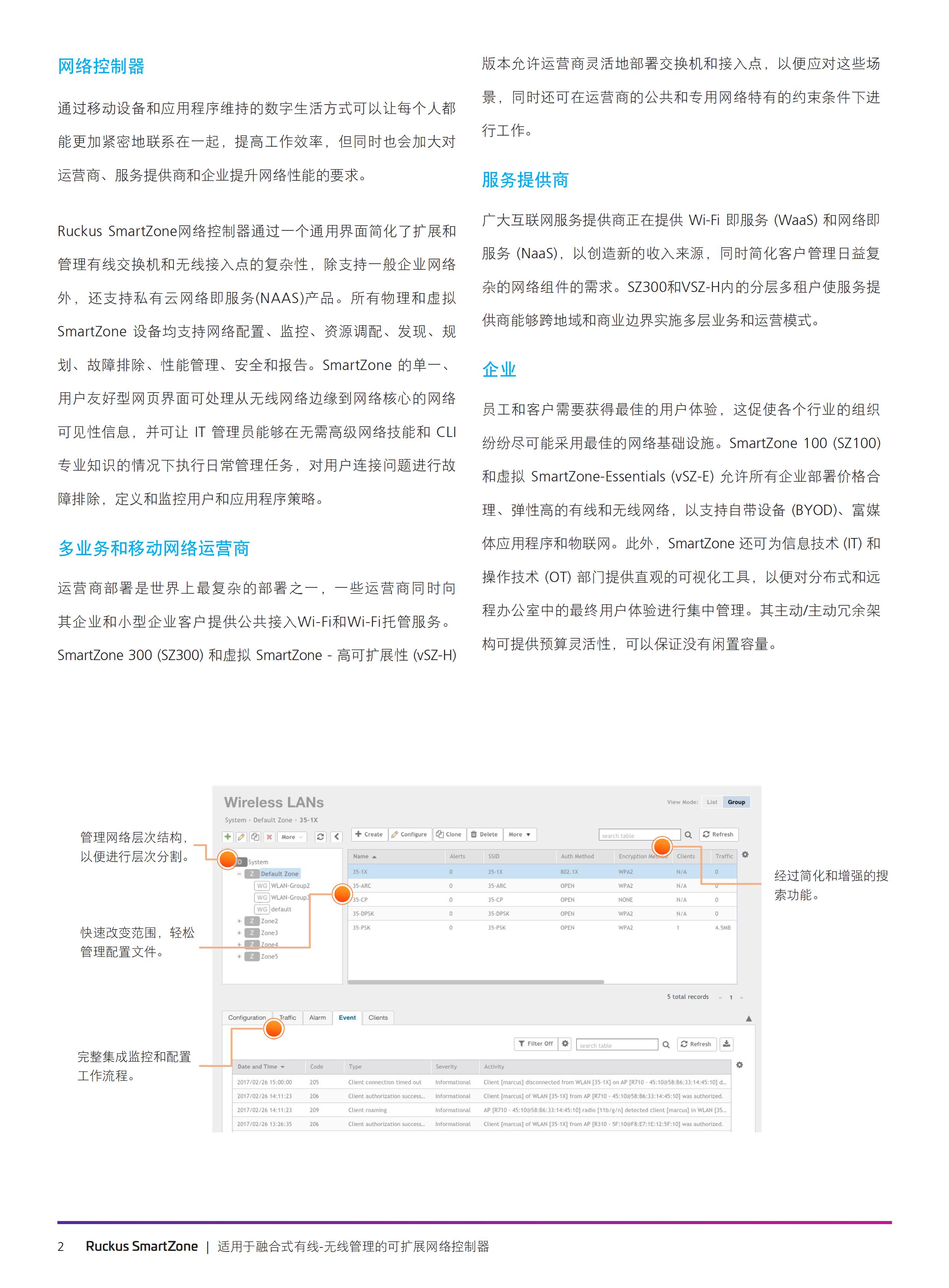
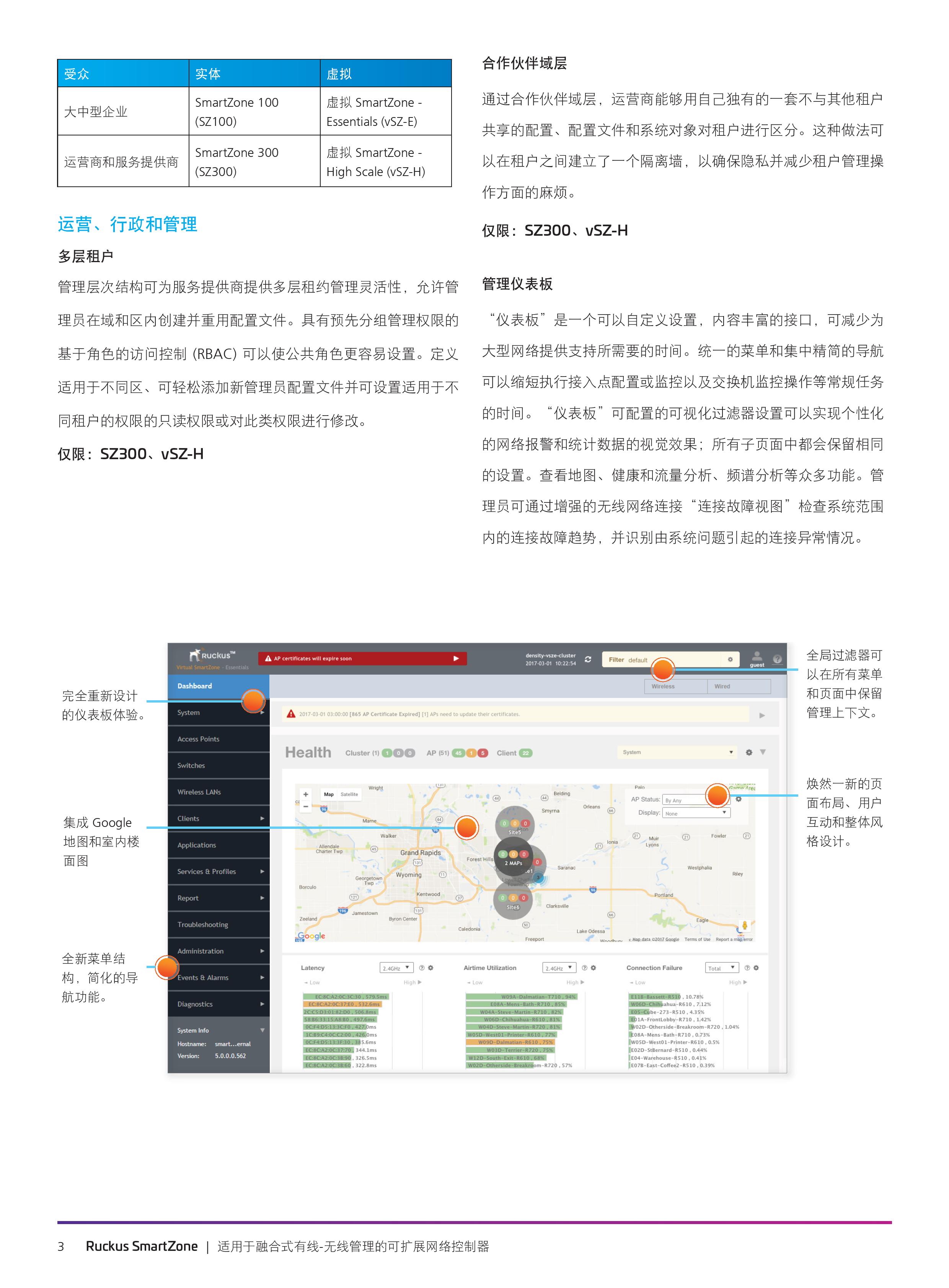
Confirm model, interface type, rate, power, airflow and software version before ordering.
Check the host server, switch fabric, firmware, slot, optics or cable and supported operating mode before ordering.
Share quantity, topology, deployment window, delivery region and replacement requirements for a practical recommendation.
Validate the representative host, peer device, driver, firmware and link media before a wider rollout.
Start with the required speed, interface, host platform and deployment role before comparing nearby models.
Confirm firmware, drivers, optics or cables, peer-device interoperability and the workload that matters to the project.
Provide the model, quantity, topology, target equipment, delivery region and required date so the next step is clear.
RUCKUS SmartZone 300 can be evaluated for Ruckus Wireless Controllers projects, capacity expansion and replacement planning.
Confirm the host or switch model, slot, port mode, speed, firmware, operating system and the required cable or optic.
Use the intended peer device and workload to check link negotiation, driver or firmware behavior, throughput and stability.
Match the model to the required interface, rate, topology, software boundary, lifecycle and delivery schedule.
Compare the server or switch, port mode, speed, media, firmware and deployment environment; use a PoC when any boundary is uncertain.
Send the target model, quantity, existing equipment, link speed, distance, delivery date and replacement tolerance.
Previous: Ruckus ZD3000
Next: RUCKUS ZoneDirector 1200

 WeChat
 Inquiry
WeChat
WeChat Inquiry
 Profile
Company Profile
Profile
Company Profile