
Specifications
Confirm model, interface type, rate, power, airflow and software version before ordering.
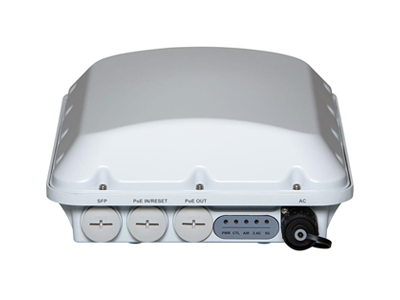
RUCKUS T710 is filed under RUCKUS outdoor wireless products on this site. Outdoor selection includes the exact submodel, antenna direction, mounting, power, backhaul, grounding and surge protection, environmental conditions and maintenance access.
When assessing T710, check coverage boundaries, antenna direction, mounting structure, power and surge protection, backhaul and maintenance access together.
RUCKUS T710 context: No. Outdoor mounting, protection, backhaul, grounding and maintenance conditions need a separate design and site validation.
RUCKUS T710 context: No. Check the complete submodel and current bill of materials. For a design review, contact the team with the site drawing, mounting points and coverage target.
RUCKUS T710 context: This page does not promise price, stock, lead time, authorization, warranty or universal compatibility. Confirm each item before procurement.

Confirm model, interface type, rate, power, airflow and software version before ordering.
Check the host server, switch fabric, firmware, slot, optics or cable and supported operating mode before ordering.
Share quantity, topology, deployment window, delivery region and replacement requirements for a practical recommendation.
Validate the representative host, peer device, driver, firmware and link media before a wider rollout.
Previous:RUCKUS T750
Next:Ruckus 901-H350-WW00

 WeChat
 Inquiry
WeChat
WeChat Inquiry
 Profile
Company Profile
Profile
Company Profile